
The follow up, wherever you are.
Tern for Android and iPhone is the companion to the web app. It shows each agent their day, puts the next call one tap away and turns a quick voice note into a timeline entry. Your team signs in with the email their workspace invited.
Included with your Tern plan. iPhone coming soon.
The Tern app


A working day, screen by screen
Four screens carry most of the day. Everything you do lands on the same timeline your team sees on the web.
01 · My day
Know who to call, and why
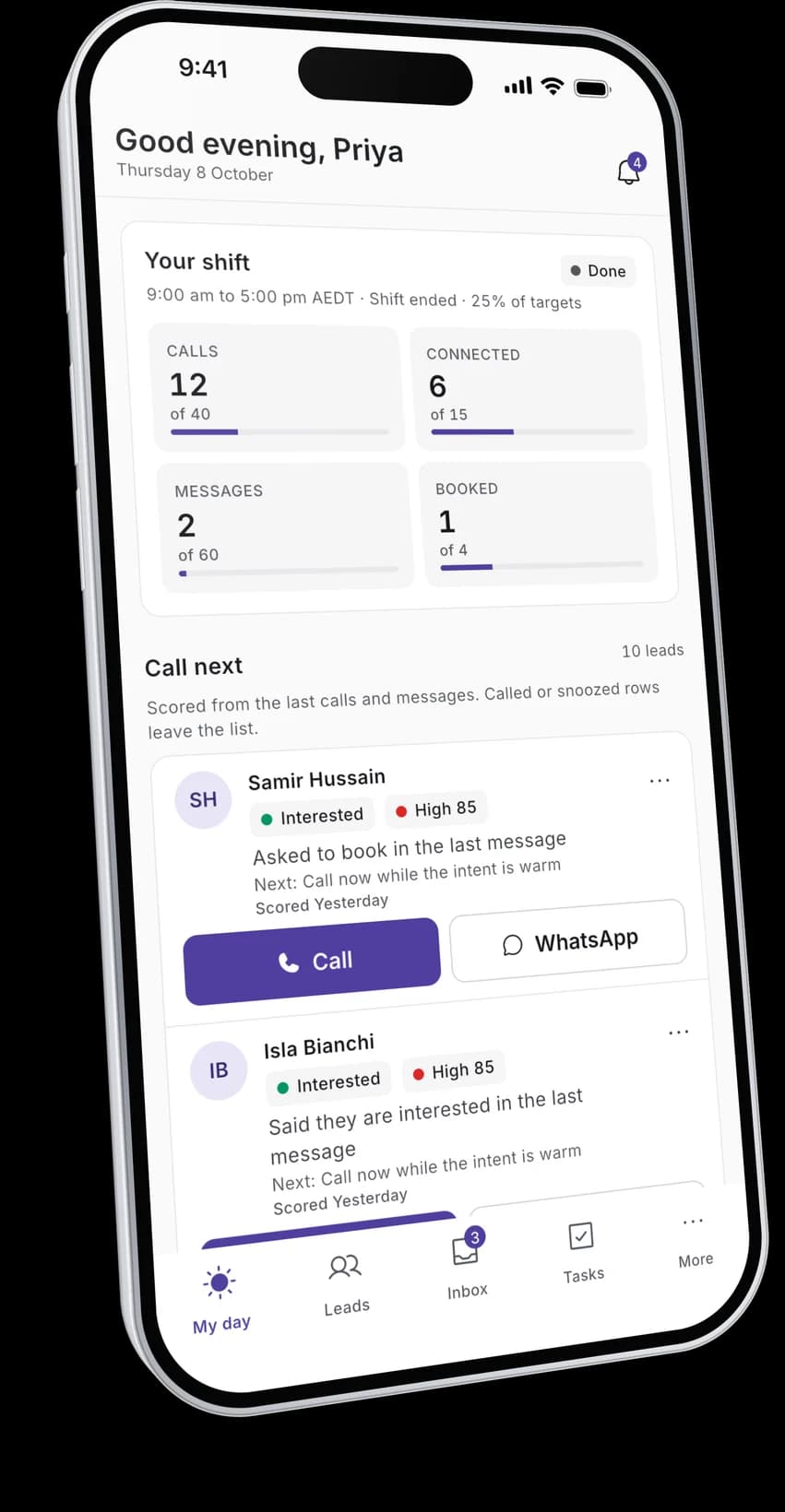
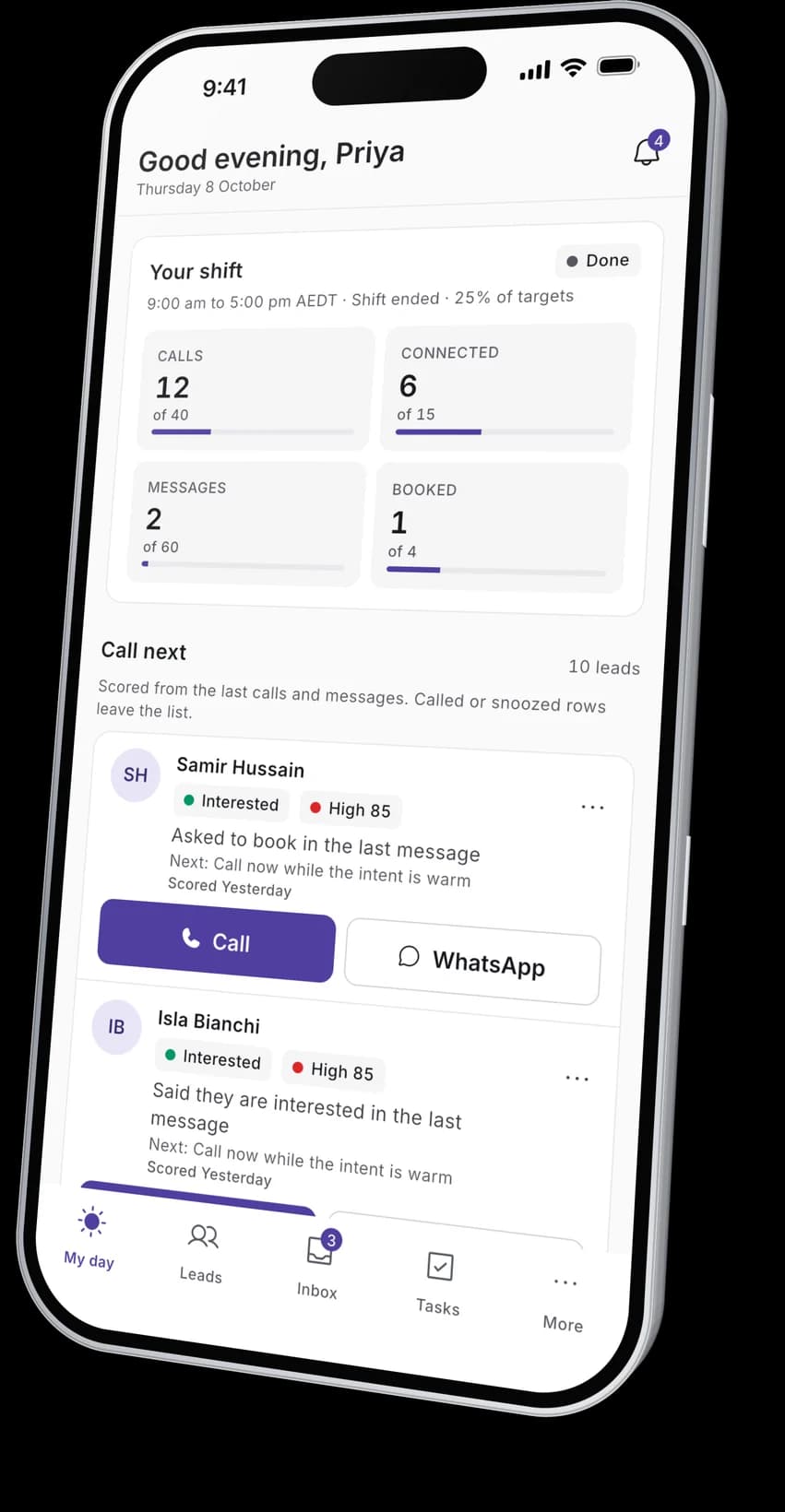
The first screen shows the shift and progress against your targets, then a short list of leads ranked by how ready they are to move, each with a reason and a next step.
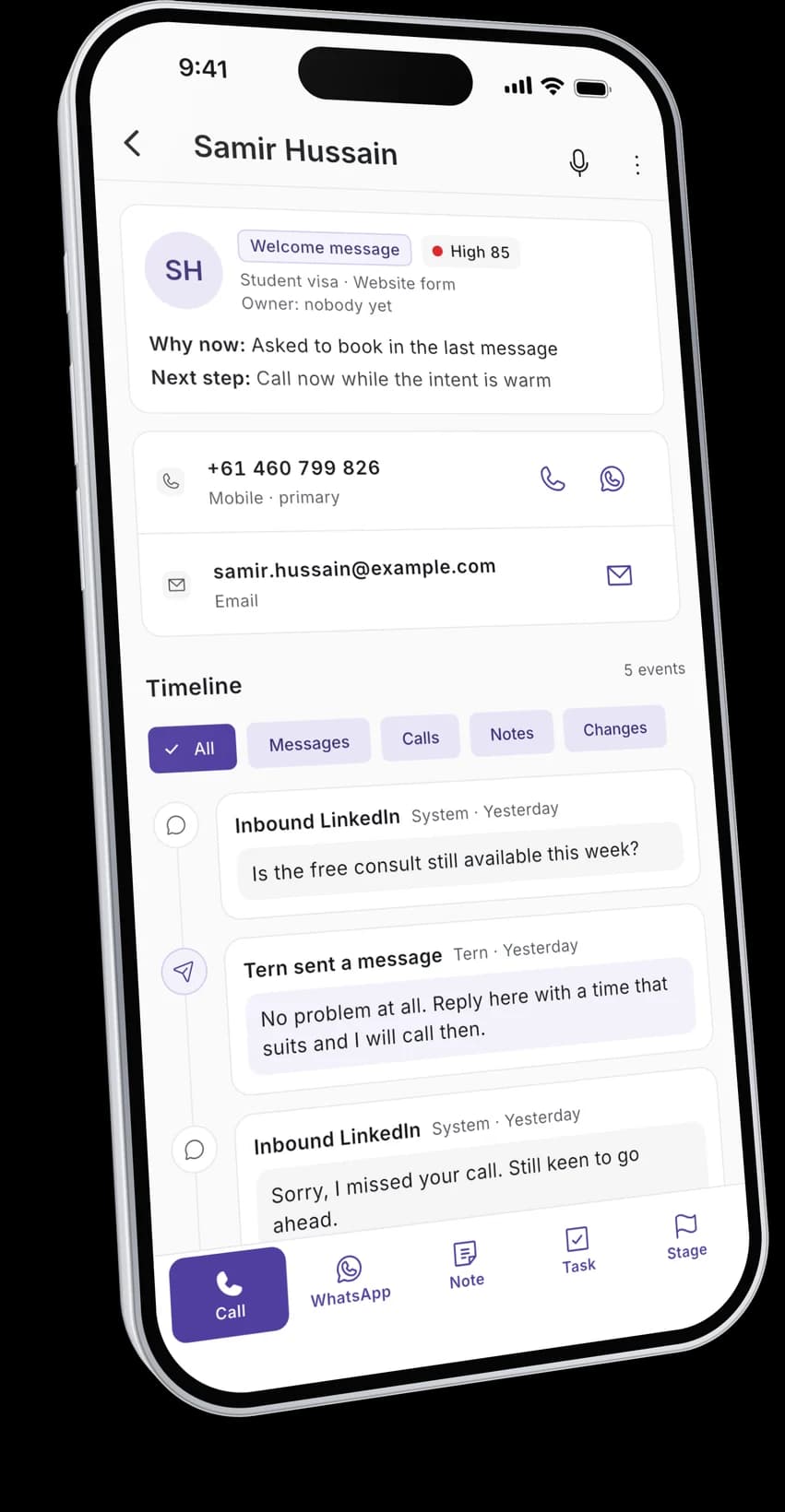
02 · Lead
Everything about a lead, one tap from a call
Numbers, stage and the timeline of messages, calls and notes. Call or WhatsApp from the top and log the outcome when you come back.
03 · Inbox
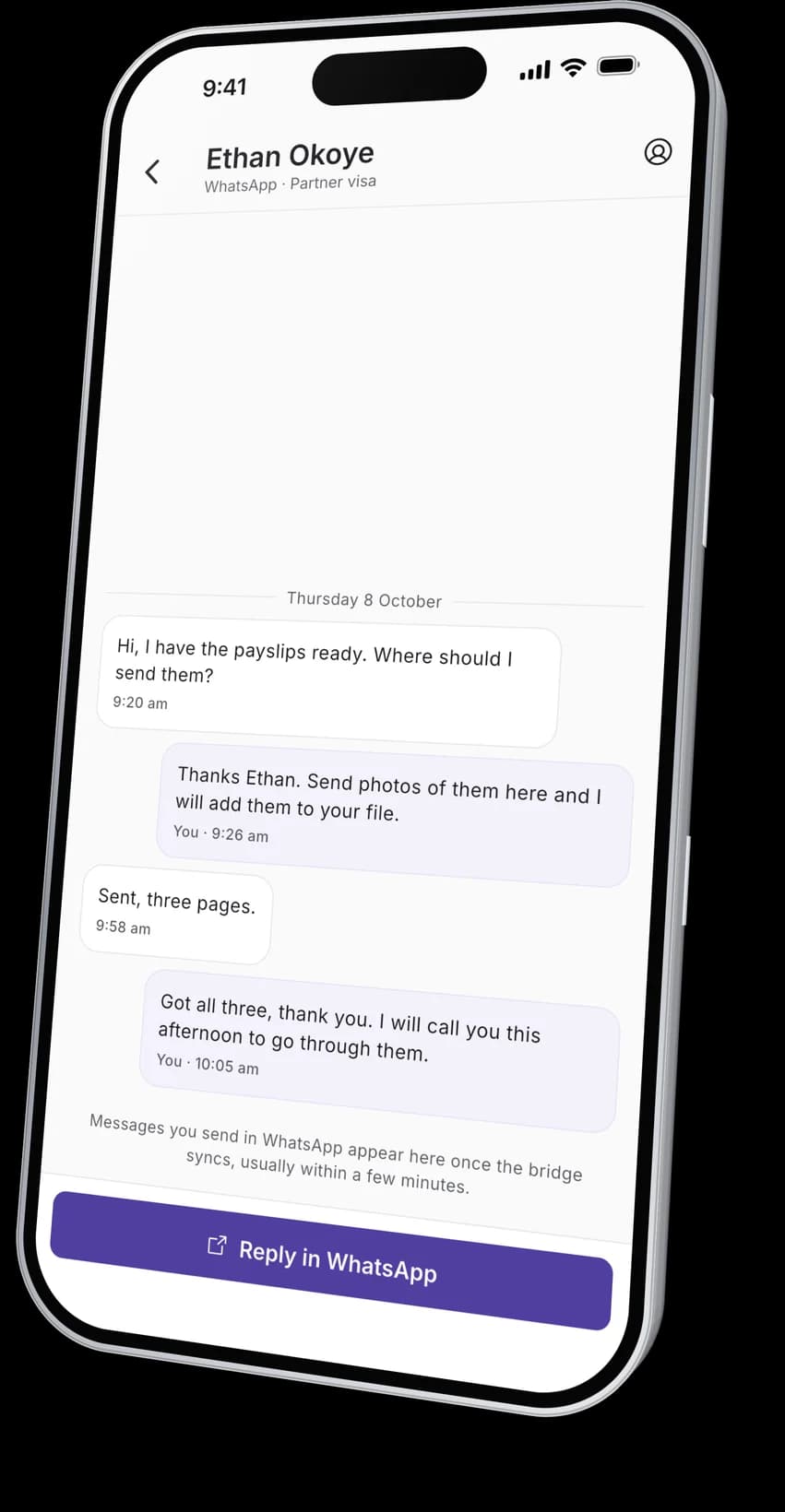
Replies waiting on you
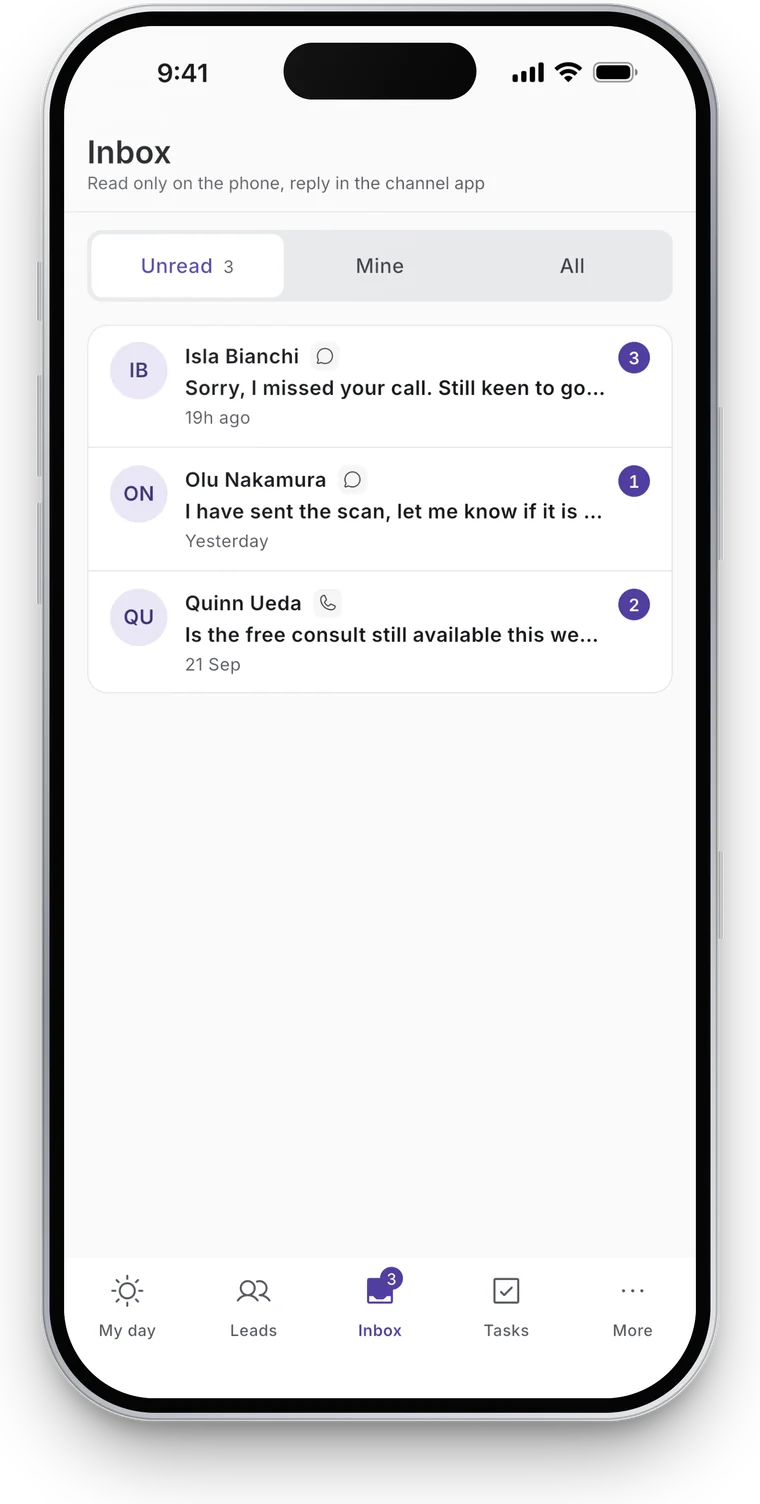
Unread threads from every channel. Read the whole thread, then reply in WhatsApp; your reply lands on the timeline once Tern Bridge syncs.

04 · Voice note
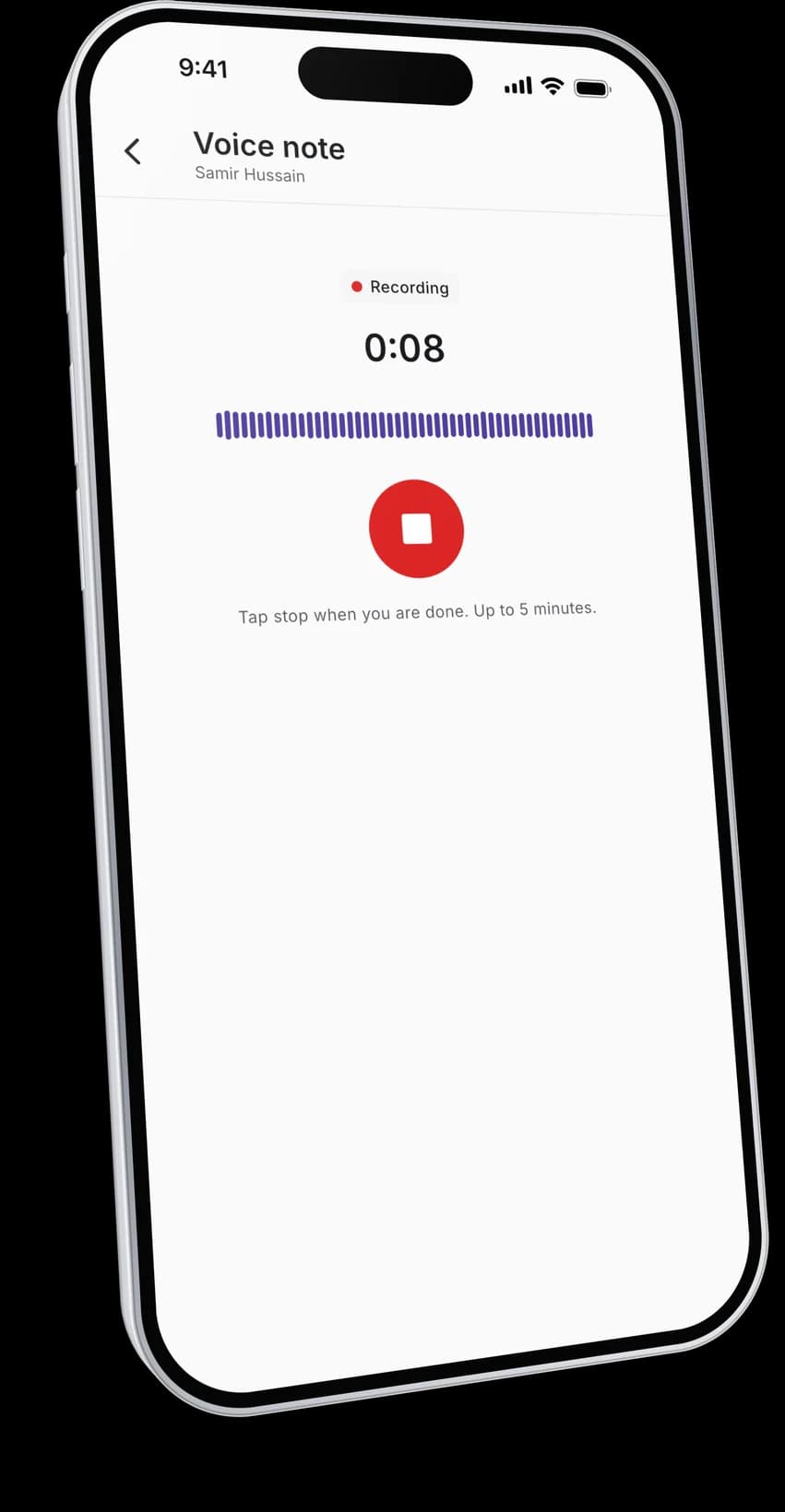
Say it before you forget it
Record up to five minutes after a call. Tern transcribes it and adds the note and the text to the lead's timeline.
Small things that save the day
Tasks
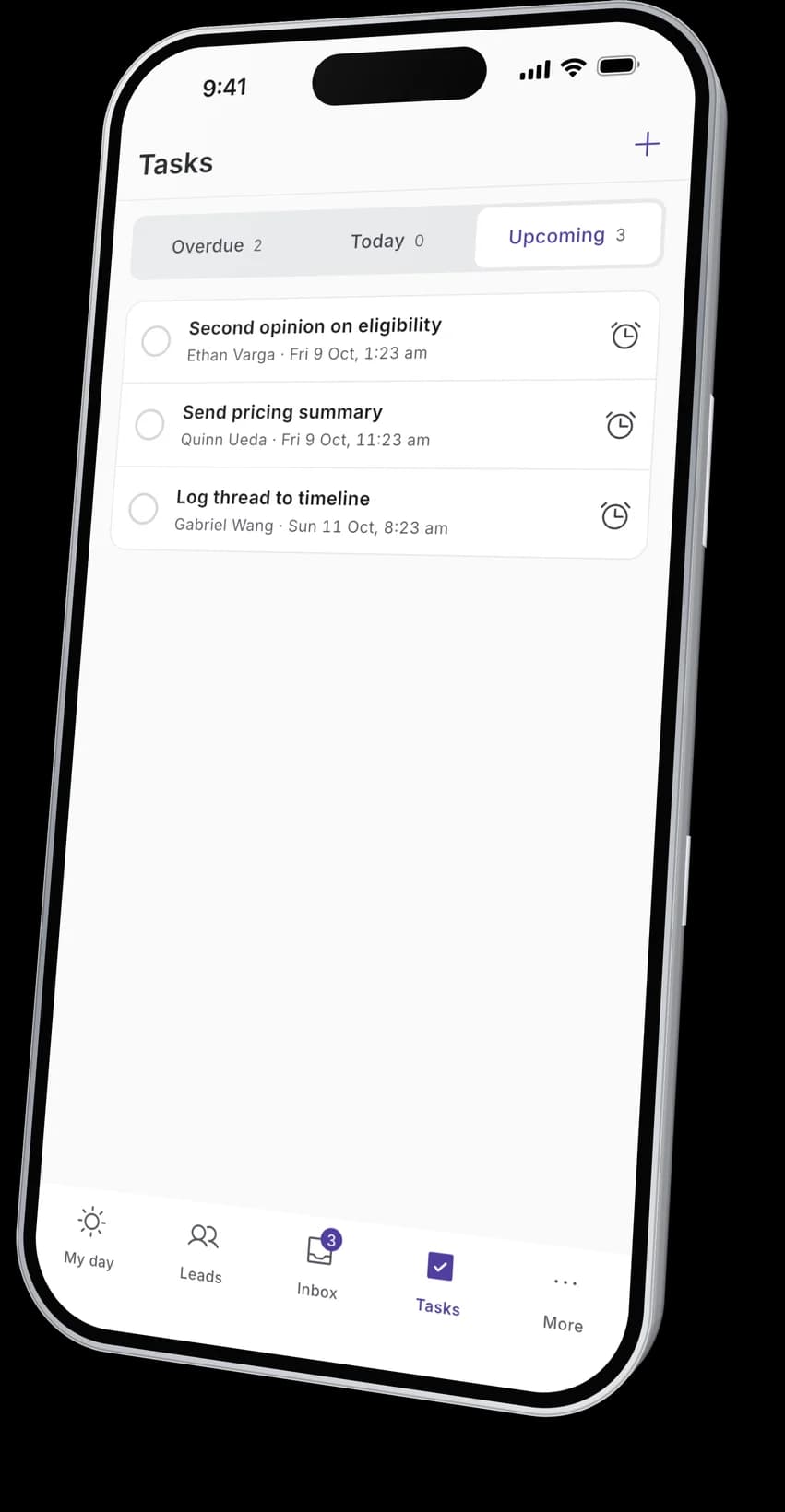
Overdue, today and upcoming, done or snoozed in a tap.
Notifications
Replies, tasks due and new work, held during your workspace's quiet hours.
For team leads
See each agent's day and how the shift is going.
Your account
Sign in by email link, see your devices, sign out everywhere.
About the app
01Is the app included?
Yes. Everyone on a Tern workspace can use it at no extra cost.
02Which phones?
Android 10 or later today. iPhone (iOS 15 or later) is coming soon.
03Does it read WhatsApp or my calls on the phone?
No. Calls go through your phone's dialler and WhatsApp opens in WhatsApp. Tern reads WhatsApp only through Tern Bridge on the desktop.
04Can I reply from the app?
You read threads in Tern and reply in the channel's own app, so every message is sent by a person.
05How do I sign in?
With the email your workspace invited. Tern sends a sign-in link, so there is no password.
Ready to start?
Stop losing
follow ups.
A$99 per month per workspace, including GST. Connect WhatsApp and your phone system today and your first priority call list is ready tomorrow morning.